Screenshot Capture
by Axel Wolf
v1.0
·
Updated 4 months ago
·
514.58 Kb
·
Released Feb 2016
Key Features
🖼️
Photo Editing
📸
Screen Capture
⌨️
Keyboard Shortcuts
📤
Export & Share
💻
Code Editor
▪️
Menu Bar App
About Screenshot Capture
◆◆◆◆◆ 50% OFF - FOR A LIMITED TIME ONLY! SEE MY OTHER APPS FOR MORE DISCOUNTS! ◆◆◆◆◆
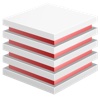
Screenshots with a twist: Screenshot Capture captures the screen and exports to PSD with each window, the menu bar, and the menu icons on a separate layer. A big timesaver: No more moving around of windows, no more changing of backgrounds. Simply hide or delete windows or screen elements you dont need.
Global hotkeys let you capture the whole screen or selected windows: Shift-Cmd-5 captures the whole screen, Shift-Cmd-6 opens a list of all windows on the screen where you can select windows of interest (screenshot #3).
The created PSDs can be created grouped or with a flat structure and will open in all PSD-compatible photo editing apps (screenshot #4). Windows can be captured with or without shadows, great for compositing. System windows like the Dock or the Finder can be excluded from capturing, greatly reducing the file size of the exported PSD.
System requirements: Mac OS X 10.7.3 "Lion" or higher.
Language: English